
How Tag works
Five steps from Available
to meeting up.
Tag is built around a short, deliberate flow — designed so nothing feels like a job. Here's exactly what happens, from the moment you open the app to the moment you meet someone.
Be Available
Flip Availability on when you're somewhere you'd be open to meeting someone — a coffee shop, a conference, your own neighborhood. It's a deliberate choice, and you can turn it off whenever you like.
While you're Available, Tag uses your location to work out who's near you. Location is only used while you've chosen to be Available.
See who's nearby
Tag shows other active people within roughly a 10-minute walk, sorted by approximate walking time — so the people at the top of your list are the ones you could actually reach in the next few minutes.
You see proximity and walking time, never anyone's exact GPS coordinates.
View a profile
Tap anyone to see their photo, occupation, interests, and what they're open to. It's enough to get a real sense of whether you'd enjoy meeting — without a wall of text to read.
Everything on a profile is something that person chose to share.
Send a Tag
If someone interests you, send a Tag. It's a simple, low-pressure signal that you'd like to connect — no message required, and nothing to keep up with.
A Tag isn't a match and isn't a message. It's just a way of saying you'd be open to saying hello.
Mutual Tag → Wave
If you and someone else Tag each other, you become a Mutual Tag. You'll both know it — and you can send a Wave to break the ice and take it from there.
Then you meet in real life. That's the whole point.
In the app
Simple screens. Clear signals.
Nothing to learn, nothing nagging you to come back. Tag is meant to get you off your phone and into the room.
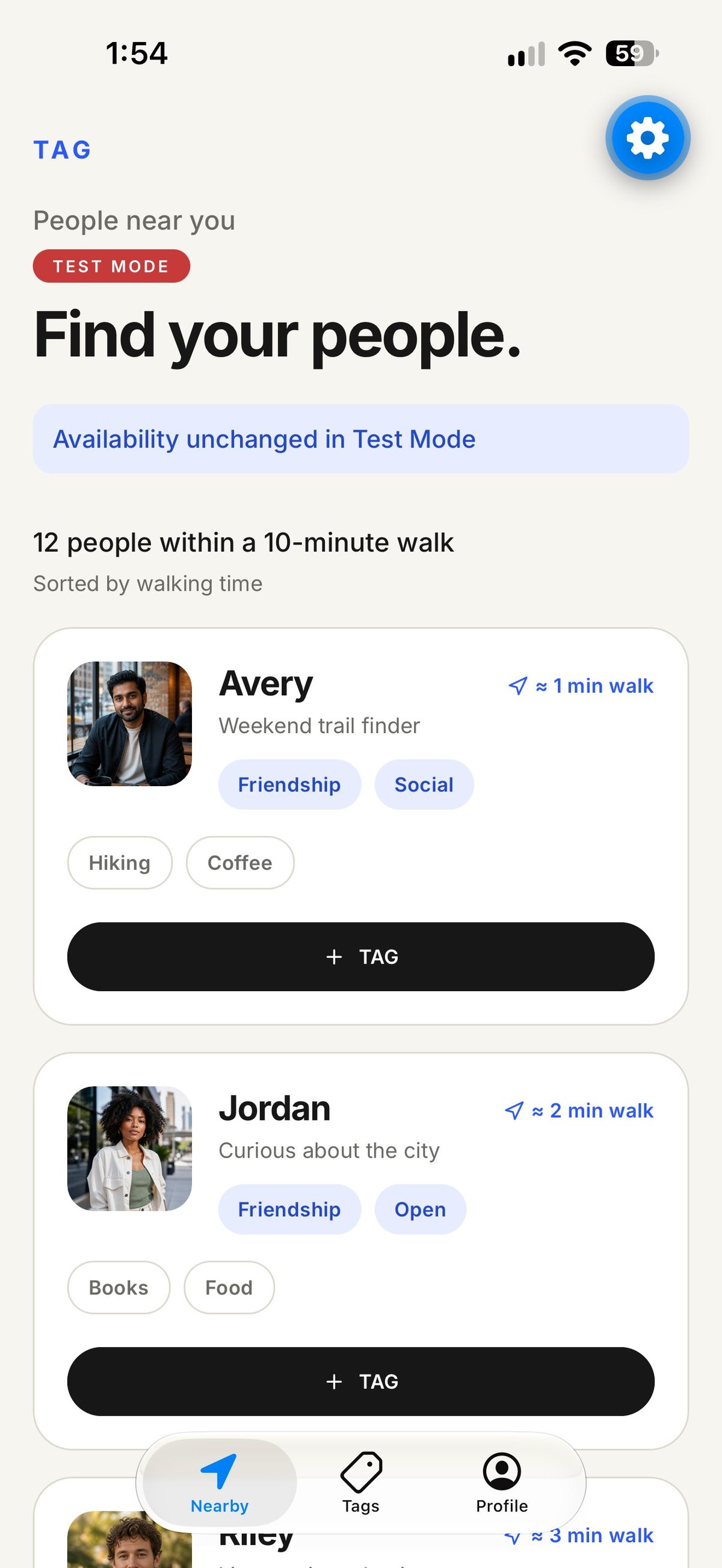
Nearby
Sorted by walking time
People within roughly a 10-minute walk, ordered by how long it would take you to reach them.
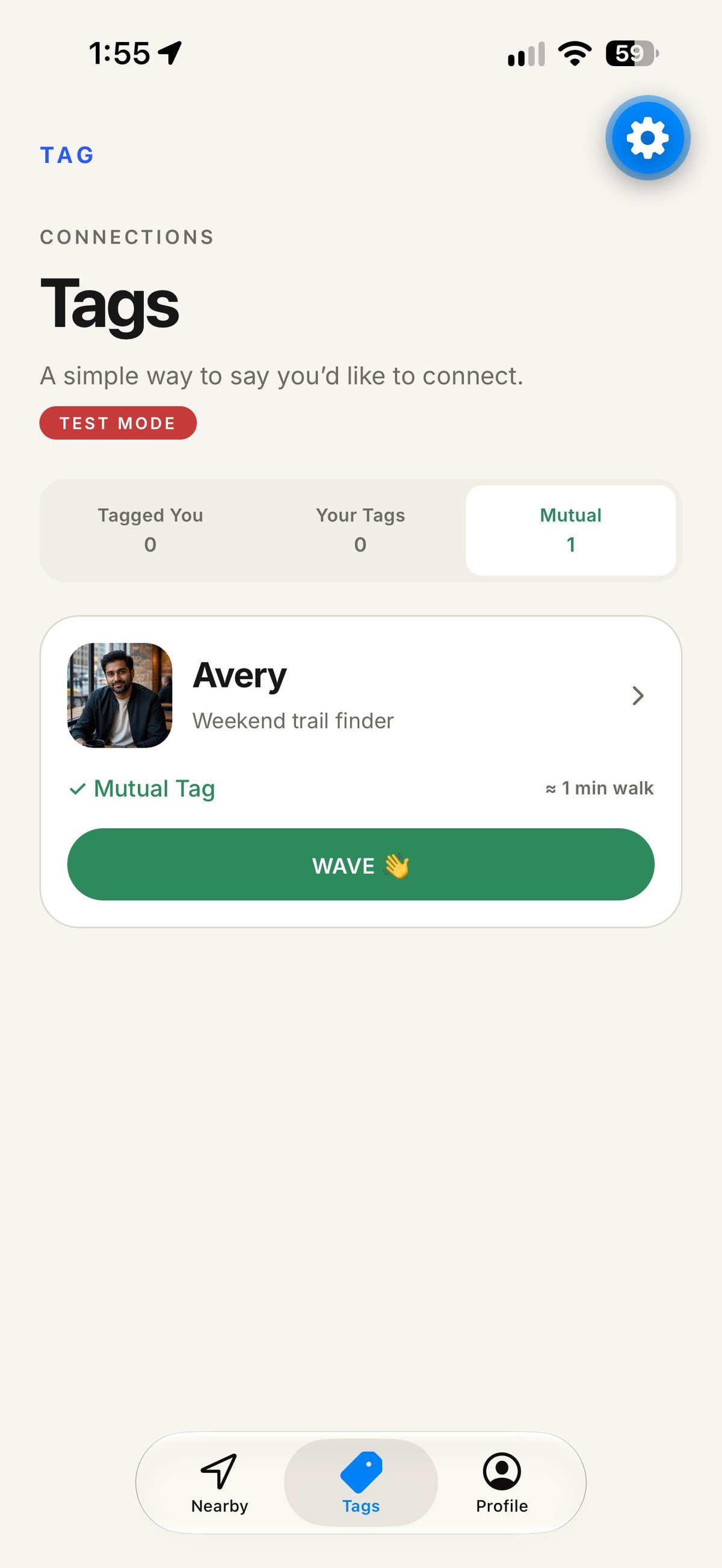
Mutual Tag
A Wave to start
When you've both Tagged, you'll know. Send a Wave and take it from there — in person.
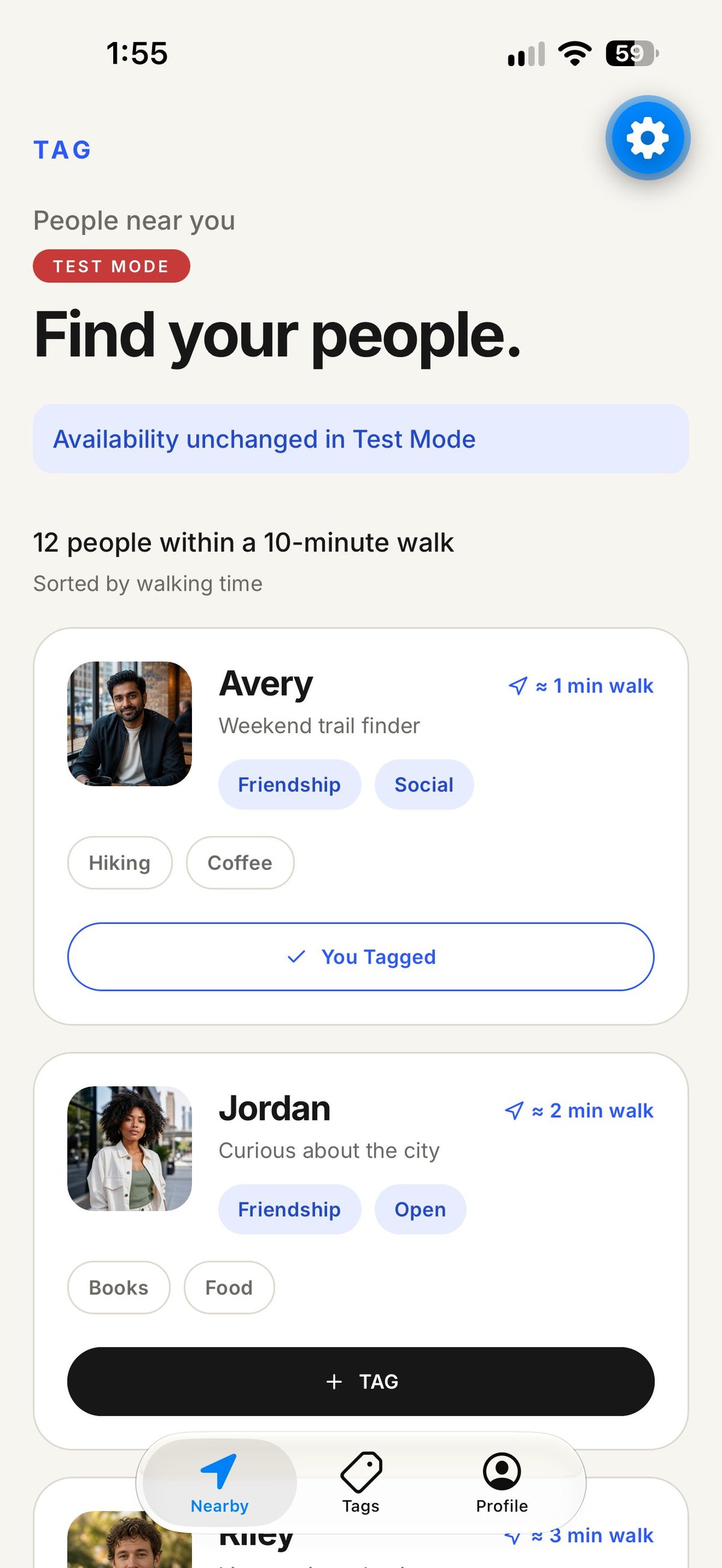
You Tagged
One signal, no pressure
A Tag is a simple way to say you'd like to connect. No message required, and nothing to keep up with.
Get Tag on iPhone soon.
Tag isn't in the App Store yet. Join the early access list and we'll let you know the moment it is.
Get early access